The residences journal · Networks & WiFi
One property. A connection that follows you.
The short version
Reliable cottage WiFi is a property-design problem, not simply a faster-router purchase. Start with the rooms and outdoor spaces that need service, assess the internet connection, and plan access points with dependable links between buildings. Then test real devices, roaming, guest access, cameras, and audio as one connected system.
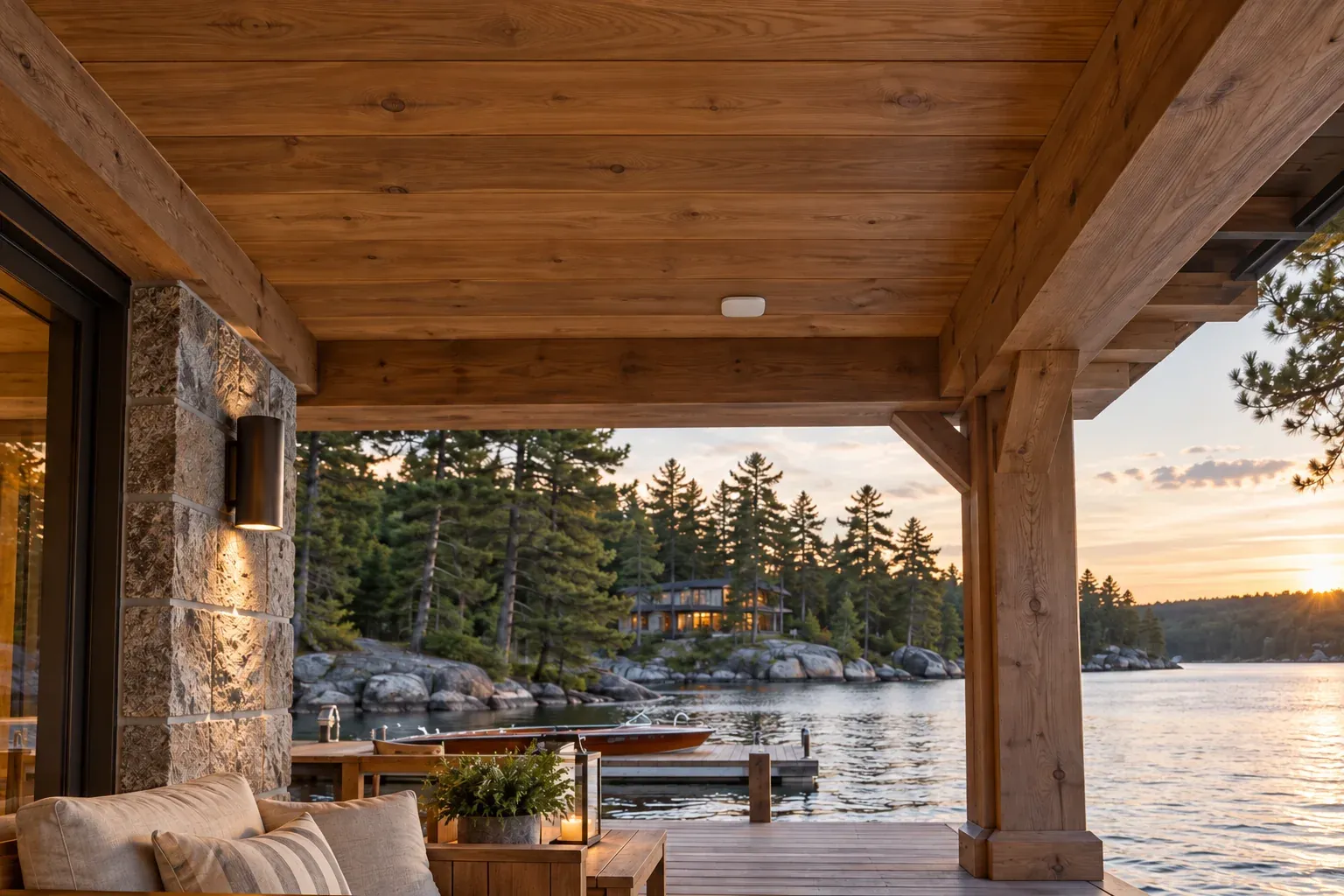
You arrive at the cottage and your phone reconnects. A call continues on the terrace. Music is easy to change at the boathouse. The cameras are available when you want to check the driveway.
This is the experience a whole-property network should be designed to support. In Muskoka, a home may be only one part of the footprint: a detached garage, guest accommodation, covered outdoor rooms, and the waterfront can all be part of daily life. They deserve a place in the network plan from the beginning.
Separate internet service from WiFi coverage
Internet service brings a connection to the property. WiFi distributes local wireless access to your devices. Problems in one can resemble problems in the other, but the remedies are different.
If performance is poor even beside the main router, the incoming service, equipment, or configuration may need attention. If the main house works well but the terrace does not, coverage and placement become more likely concerns. A site review should investigate rather than guess.
Be clear about what you need to do: video calls, simultaneous streaming, camera access, and ordinary browsing place different demands on a connection. Assess the actual service available at the property, including upload performance where relevant. Better WiFi cannot create internet capacity that the incoming connection does not supply.
Draw a coverage brief for the whole property
Mark where service is important, including outside the walls. Put the office desk, kitchen, guest rooms, terrace seating, and boathouse on the plan. Add fixed devices such as cameras, streaming equipment, and access controls.
Then assign priorities. A dependable work call at a particular desk may matter more than a peak speed result in the hallway. The dock may need comfortable music control and browsing, while a guest cottage needs its own reliable everyday connection.
Construction and site conditions influence the design. Stonework, building layout, separation between structures, and the available cable routes all need review. The correct number of access points comes from that assessment and testing, rather than a blanket assumption based on floor area.
Give access points a dependable backbone
An access point is the part of the network that provides WiFi to nearby devices. Several appropriately placed access points can serve a property as one coordinated network.
Where practical, a wired connection from each access point back to the network gives that device a dependable route for carrying traffic. Wireless mesh can be useful when cabling is difficult, but its connection between nodes also depends on the wireless environment. Ubiquiti’s wireless performance guidance identifies wireless hops and interference as factors that can reduce performance.
The aim is not to put an access point wherever a cable happens to emerge. Choose locations for coverage, discreet appearance, and serviceability, then plan the supporting route. A device hidden in the wrong cupboard may satisfy the interior design while disappointing everyone using the network.
Treat separate buildings as a deliberate connection
A boathouse or guest cottage needs a link to the network and a way to serve devices within that building. Reaching the outside wall with a signal is not the same as providing useful indoor coverage.
Where suitable pathways exist, a wired building link may make sense. Fibre can be an appropriate option for connecting separate structures, with compatible equipment and local power at each end. Where a new cable route is impractical, a purpose-designed point-to-point wireless link may be worth evaluating.
Ask the installer to assess the route, distance, obstructions, exposure, and maintenance access. For wireless links, seasonal changes to the path should be part of that assessment. The selected approach should include a plan for the devices inside the destination building, not just a connection between two endpoints.
Bring the network plan into landscape and construction discussions early. A useful pathway is much easier to coordinate while the related site work is already open.
Make arrivals and roaming feel natural
A consistent household network name and suitable security settings can make returning to the property straightforward after the initial setup. Walking between access points adds another consideration: roaming.
The phone or laptop plays an active role in choosing when to move to another access point. Apple’s WiFi roaming documentation explains that the device makes this decision and can use assistance from the network. This is why a promise of perfect roaming on every device is less useful than a test with your actual phones.
During commissioning, walk the routes you use while on a call or playing audio. Test the transition from the house to the terrace and into any separate buildings included in the scope. Refine coverage and configuration around observed behaviour rather than relying only on a coverage illustration.
Give guests access without giving away the house
Guest internet access should be easy to share and should not automatically provide access to owner cameras, equipment administration, or private devices. Agree who needs access to what before the network is configured.
There is a balance to strike. Guests may need to stream music to the terrace while being kept away from other systems. Separating devices into different network groups can affect discovery and control, so any permitted interaction needs to be configured and tested deliberately.
Review your camera system and outdoor audio alongside the WiFi design. This is where a coordinated installation becomes noticeably easier to live with: access works as intended across the devices, rather than each product being configured in isolation.
Ask for evidence at handover
An electrician who specializes in structured cabling and connected devices can connect the physical installation to the network experience. Cable routes, testing, access point positions, power, and configuration all contribute to the result.
At Lume, the brief is the property and the people using it. Ask for a handover that lets you understand and maintain the installation:
- A record of access point and equipment locations.
- Labels and test information for installed cabling.
- Owner control of the necessary accounts and administrator access.
- A clear guest access method and explanation of device permissions.
- Verification in the agreed indoor and outdoor areas.
- The agreed process for updates, troubleshooting, and future changes.
If continuity during interruptions matters, discuss backup power and an alternative internet connection separately. Confirm what each can support and how the proposed system will behave. Neither should be reduced to an unexplained “always online” promise.
Tell us where your current connection lets you down, or share the site plan for a new home. We can begin with the places you need connected and build the infrastructure around them.
Questions homeowners ask
Will a faster router fix the WiFi at my boathouse?
Not necessarily. Distance, intervening construction, the building link, and local coverage may be the limiting factors. The useful first step is to assess the complete path from your internet service to the devices at the boathouse.
Can the main home and guest cottage use the same WiFi name?
They can be designed to present a consistent household network, provided the underlying connections, addressing, and security are coordinated. A shared name alone does not establish a well-functioning network between independent routers.
Can we improve coverage without rewiring the entire property?
Often, existing cabling and selected new links can form part of an upgrade. A site review should establish what is reusable, what is causing the problem, and which improvements offer the clearest benefit.
Considered for your property
Connect the places you come here for.
Share the buildings, outdoor spaces, and everyday frustrations on your property. We’ll help plan a network around the way you use them.
Discuss your property’s WiFiBased in Bracebridge. Serving Muskoka and its lake communities.