The residences journal · Home automation
A home that knows the rhythm of your day.
The short version
Useful home automation starts with a few routines you want to make easier. Define what should happen when you arrive, settle in, and leave; then confirm which devices can deliver it together. Keep everyday controls obvious, check what works without internet, and give the network and wiring as much attention as the interface.
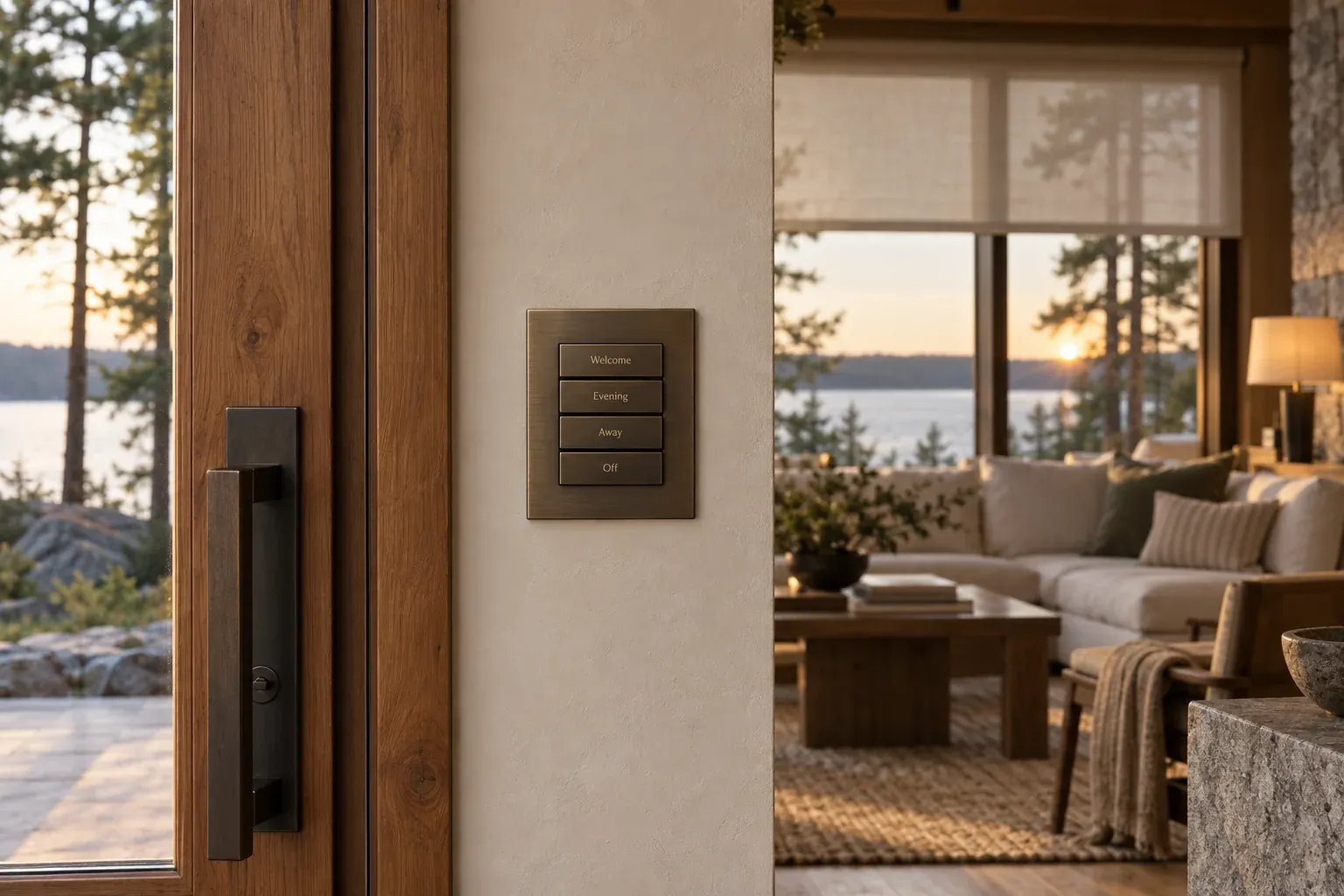
The most convincing home automation is often the least theatrical. Lights are where you expect them. Music is easy to start. You can check an entrance without searching through several apps. Leaving for the week takes a few deliberate actions rather than a circuit of the entire house.
For a Muskoka residence, this matters as much between visits as it does when you are there. The starting point is your routine: who arrives, who stays, how guests use the home, and what you want to know while away. The technology should follow that brief.
Write the routines before choosing the devices
Begin with three or four moments that would benefit from less effort. Describe each in ordinary language. “When we arrive after dark, we want to see the approach, enter comfortably, and bring the main living areas to life” is a more useful instruction than “we want a smart home.”
A scene is a group of actions you trigger together. An automation runs in response to a condition, such as a schedule or a sensor. Decide which situations call for an automatic response and which should remain an intentional choice.
| Moment | A possible brief | What to decide |
|---|---|---|
| Arriving | Bring selected lights to a welcoming level | Manual scene, schedule, or an approved presence trigger? |
| Entertaining | Set living-area lighting and start selected audio zones | Which rooms join, and which remain independent? |
| Good night | Turn off chosen common-area lights and stop music | What stays available for anyone still awake? |
| Leaving | Stop audio, adjust agreed settings, and review entry status | Which actions need confirmation or a separate security step? |
These are planning examples. The exact functions depend on the devices, controls, and integrations selected for your property.
Make the everyday controls obvious
A home should welcome someone who has never seen its control app. Keep familiar wall controls for ordinary actions, and label any scene buttons in language your household understands.
Think about the housekeeper, visiting parents, and overnight guests. Each should be able to turn on a light or stop the music without accessing an owner account. A well-placed keypad may be more useful than an elaborate touchscreen in a room where only one action is needed.
Restraint helps. Start with a small set of scenes that earn their place, then adjust after living with them. A scene used every evening contributes more than a long menu of possibilities no one remembers.
Confirm integration one function at a time
“Compatible” is too broad to stand alone in a proposal. Two devices may work with the same platform while exposing different controls. Ask what the selected combination can actually do: view a camera, receive a door event, set a volume, or change a lighting scene.
Standards can improve interoperability, but they do not remove the need to verify the exact products and required functions. The Connectivity Standards Alliance describes Matter as a protocol for compatible connected devices, with local connectivity as a central feature. That does not mean every existing camera, audio product, or control function becomes interchangeable.
Have the installer identify any manufacturer apps that remain necessary, subscription dependencies, and functions available only within one platform. A clear division of controls is easier to live with than a promise of “one app” that becomes less true at handover.
Build the foundation beneath the controls
Automations depend on the devices being reachable and correctly configured. The home network, cable routes, equipment space, and power arrangements all influence how dependable the result feels.
During a new build, bring technology planning into the conversation before the wiring and finishes are fixed. Discuss controls at entrances, access point locations, camera positions, speaker layouts, and pathways for later additions. CEDIA’s smart-home wiring guide emphasizes planning the wired infrastructure and documenting it for future work.
An electrician with a structured-cabling and connected-systems specialty can help bridge these decisions. The visible switch, the cable behind it, and the equipment responding to it need to make sense together. That is the perspective Lume brings to a private-residence technology plan.
Know what happens without internet
Ask for two separate demonstrations: normal operation and an internet interruption. Some locally controlled functions can continue when internet service is unavailable, provided the required devices and local network remain powered. Remote access and cloud-dependent features may stop.
The answer varies by system and by function. Even a locally connected device can rely on an internet service for a particular feature. For example, the Matter consumer messaging guide distinguishes local connectivity from the internet-connected controller needed for away-from-home access.
Request a short written list of what continues, what stops, and how the system recovers. If backup power is included, specify the supported equipment and expected runtime. The aim is predictable behaviour, especially when you are not at the property to troubleshoot.
Keep security actions deliberate
Arrival convenience and permission to enter are different decisions. A phone joining WiFi should not, by itself, be treated as proof that a door should unlock. Plan access credentials, permissions, and entry actions explicitly.
If a scene includes security-related functions, confirm how the homeowner sees their actual status. Sending a lock command is different from receiving confirmation that the lock is secured. An attractive interface should make that distinction clear.
Coordinate the design with your camera and security plan. Decide who receives alerts, who can view footage, and which actions require owner authority. Keep access straightforward to remove when a guest or service provider no longer needs it.
Commission the home with the household
The final test is an ordinary day, carried out by the people who will live there. Start an evening scene. Change it manually. Give a guest an appropriate control. Leave the property and check remote access from mobile data.
Ask for a record of accounts, device names, scene behaviour, and the agreed support arrangement. Include a clear explanation of how updates and changes will be handled. A home evolves: rooms change purpose, people change phones, and routines shift with the seasons.
Lume Private Residences begins with those routines and connects the practical details around them. Tell us what you would like your home to handle, whether you are planning a new build or simplifying systems you already own.
Questions homeowners ask
Can I automate an existing cottage without a major renovation?
Often, some useful routines can be added using suitable existing equipment and compatible controls. A review should identify wiring and network constraints, what can be retained, and where a phased approach makes sense.
Does everything need to be from the same brand?
Not necessarily. Mixed systems can work well when their required functions are supported and tested together. Choose around the complete experience and support requirements, rather than assuming either one brand or a collection of compatible logos guarantees the result.
Where should we begin?
List the three daily tasks you most want to simplify. Bring that list, your floor plan, and any existing equipment information to the first discussion. It provides a clear basis for a useful scope and avoids buying devices without a shared purpose.
Considered for your property
Start with the way you live.
Tell us which daily details you would like your home to handle. We’ll help turn those routines into a clear, considered system brief.
Discuss your connected homeBased in Bracebridge. Serving Muskoka and its lake communities.